Dashboard#
A user-friendly graphical dashboard that runs inside your web browser.
Launch the dashboard:
$ memoryfm-gui
This will open the dashboard in a browser window or a tab (if the browser is already open) of your default browser. You can also opens it by visiting http://localhost:8501 in your favorite browser.
Note
If you have a home network, once you launch the dashboard on your computer,
you can open it on any of your devices connected to the network by visiting:
http://your_computer_ip:8501.
Replace your_computer_ip with your computer’s ip address.
The dashboard provides four main views:
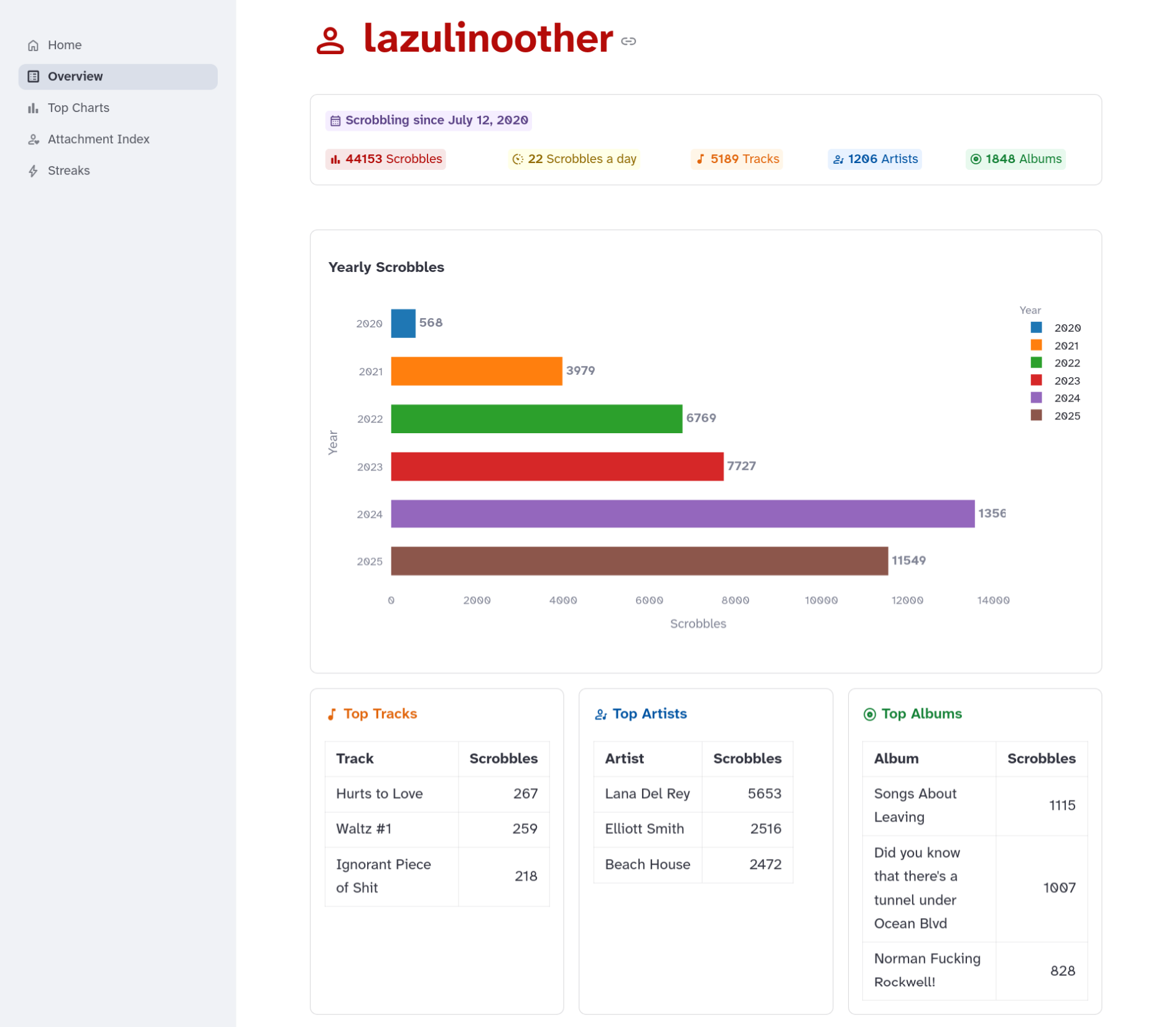
Overview#
Get a clean summary of your music listening history.
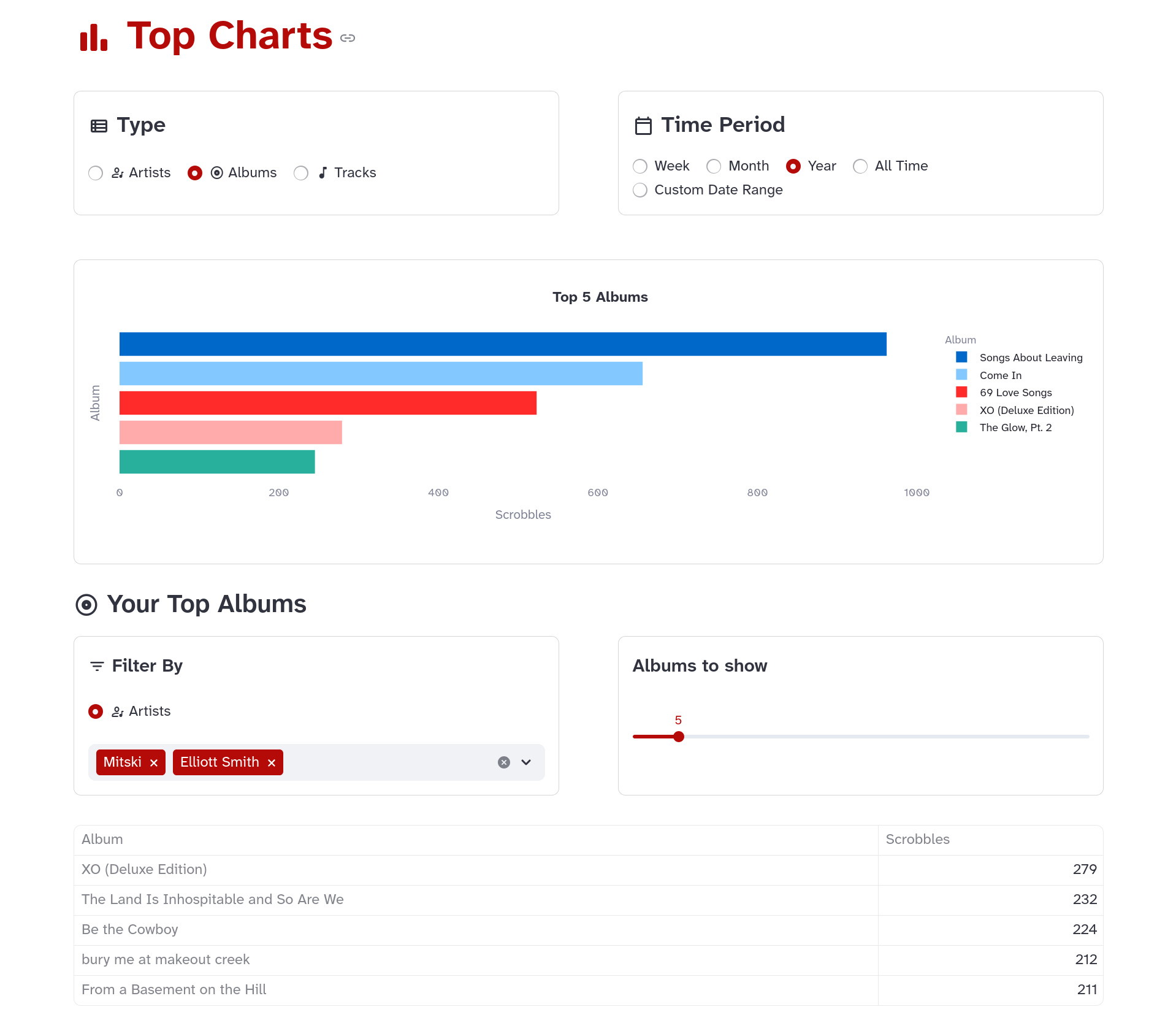
Top Charts#
View your top artists, albums, and tracks by time period.
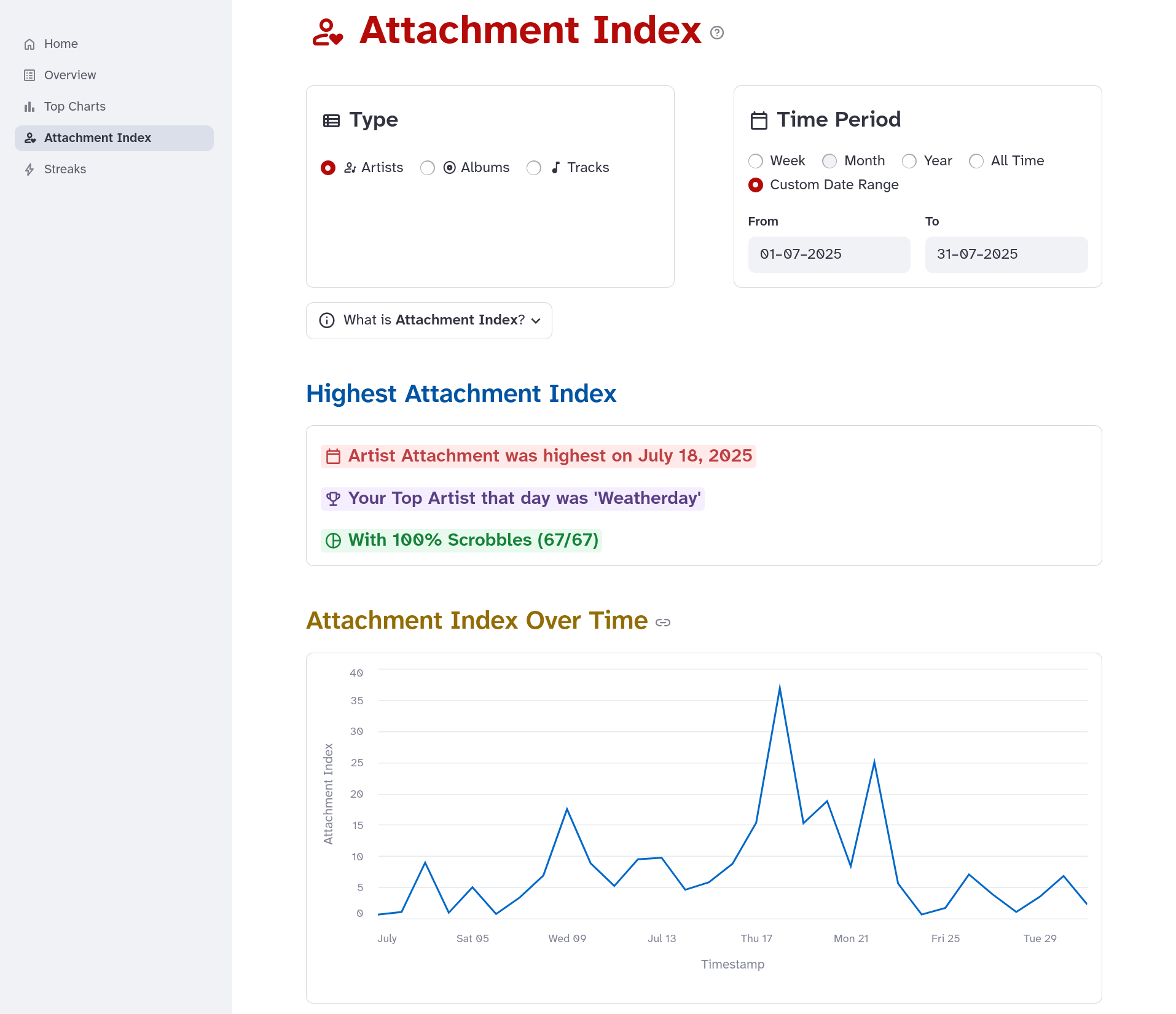
Attachment Index#
Visualize how concentrated your listening was during a given period.
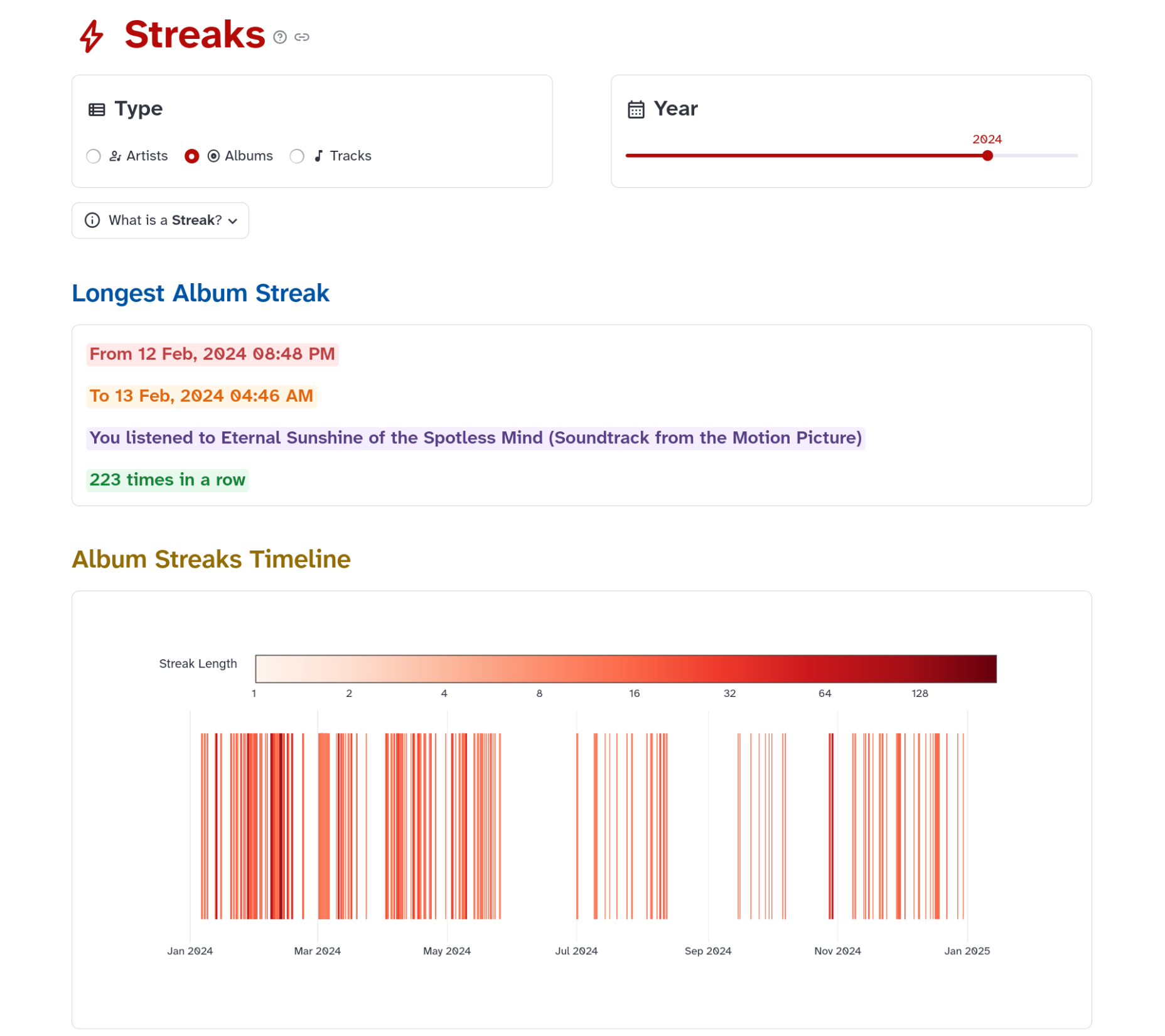
Streaks#
Find out periods of repetitive listening of an artist, album, or track, visualized in a color-coded timeline.